

Let’s be real for a second. You’re likely here because it’s late, your eyes are tired from staring at a screen, and that progress bar on your dashboard hasn’t moved in hours. I’ve been there. Whether you are a student trying to balance a part-time job or a parent helping your kid navigate a tough semester, the search for odysseyware assignment answers is something almost everyone does at some point.
The problem? Most of the stuff you find online is either a scam, outdated, or just plain wrong. Trust me, I’ve seen students spend three hours looking for a “leak” only to realize they could have finished the actual lesson in forty-five minutes.
In this guide, I’m going to show you how to tackle these assignments like a pro. We aren’t just looking for shortcuts that get you in trouble. We’re looking for high-efficiency strategies that help you get those green checkmarks without losing your mind.
Why Searching for Odysseyware Assignment Answers Usually Backfires
It is so tempting to just copy and paste a question into Google. You think, “I’ll just find the answer key and be done with it.” But there are a few big reasons why this is a trap.
First, Odysseyware is a “smart” platform. It’s not a static textbook from 1995. Schools can customize the questions, shuffle the order, and update the content. An answer key you find on a random forum from 2021 might be totally irrelevant today.
Second, the system is designed to catch “copy-paste” behavior. If you’re suddenly finishing a complex physics assignment in three minutes with 100% accuracy, but you failed the practice quiz, teachers get a notification. It’s better to be efficient and honest than fast and caught.
Common Sources That Let Students Down
- Random Reddit Threads: Often full of “dead” links or people asking for money.
- Quizlet Sets: Sometimes helpful for vocabulary, but often full of errors for math and science problems.
- Paid “Cheating” Sites: These are the worst. They take your money and often provide answers for the wrong version of the course.
Understanding the Platform: How the Content is Built
Before you can solve the problems, you have to understand the beast you’re fighting. Odysseyware isn’t just a list of questions; it’s a structured path. Every assignment is directly tied to the lesson text that came right before it.
If you skip the reading and jump straight to the questions, you’re making the job harder. Most odysseyware assignment answers are literally hidden in the text blocks or the videos provided in the module.
The Anatomy of an Assignment
| Question Type | What it usually requires | Efficiency Tip |
| Multiple Choice | Fact recognition | Use the “Find” tool (Ctrl+F) in the lesson text. |
| Matching | Vocabulary knowledge | Keep a running list of bolded terms from the lesson. |
| Short Answer | Critical thinking | Use the “RACE” method (Restate, Answer, Cite, Explain). |
| Math Problems | Step-by-step logic | Use a digital scratchpad to avoid simple errors. |
Step-by-Step Strategy to Solve Assignments Faster
If you want to stop stressing over odysseyware assignment answers, you need a system. Here is the exact workflow I recommend to finish work in record time.
1. The “Scan and Plan” Method
Before you read a single word of the lesson, click through to the assignment questions. Read them first. By knowing what the questions are, your brain will naturally “highlight” the answers as you read through the lesson material. It’s like having a map before you enter the woods.
2. Use the Search Shortcut
When you find a tricky question, don’t leave the site. Go back to the lesson page and use Ctrl + F (or Command + F on a Mac). Type in a unique keyword from the question. Nine times out of ten, the sentence containing the answer will pop up in bright yellow. This is the fastest ethical way to find odysseyware assignment answers.
3. The “Chunking” Technique
Don’t try to do a whole unit in one sitting. Your brain turns to mush after about 30 minutes of online learning. Do one lesson, do the assignment, then walk away for five minutes. Grab a snack, stretch, or check your phone. When you come back, you’ll work twice as fast because you aren’t burnt out.
4. Take “Active” Notes
I know, nobody likes taking notes. But if you jot down the formulas or the main dates as you read, you won’t have to keep flipping back and forth. This is especially true for math.
Managing the Hard Stuff: Math and Science
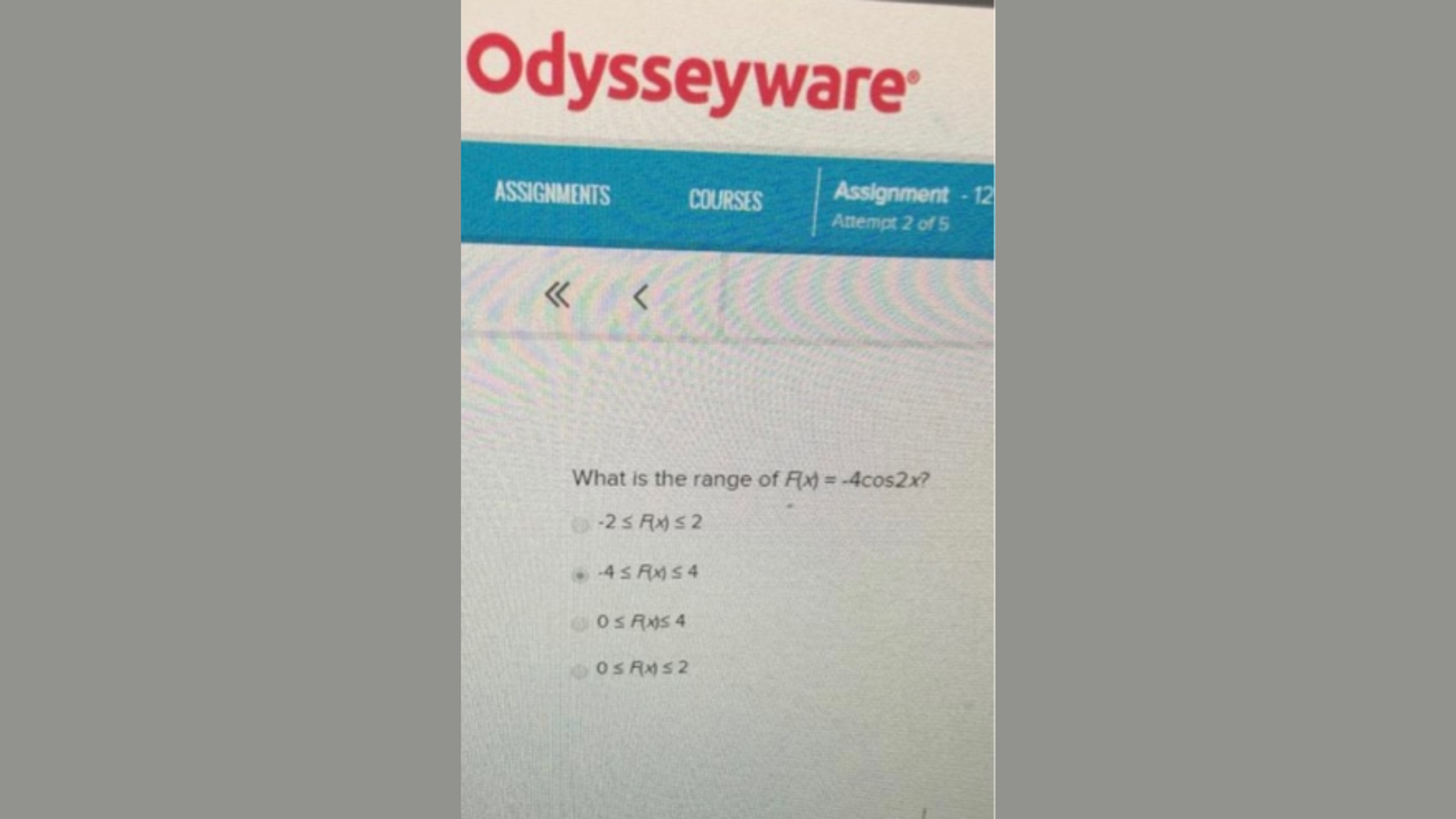
Let’s look at a real-world example. Suppose you’re stuck on a trig question like: “What is the range of $f(x) = -4\cos(2x)$?”
If you just search for the answer, you might find five different versions. But if you know the rule, you can solve it in seconds.
- A normal cosine graph goes from -1 to 1.
- The “-4” in front multiplies that height (the amplitude).
- So, the range is between -4 and 4.
By understanding the “why,” you don’t need to hunt for odysseyware assignment answers for the next ten problems because they all follow the same pattern.
Comparing Your Options: Cheating vs. Learning Efficiency
It is easy to think that finding a “leak” is the fastest way, but let’s look at the data.
The Real Difference in Approaches
| Feature | Using “Answer Key” Sites | Using Strategic Efficiency |
| Time Spent | 2-3 hours (searching/vetting) | 45-60 minutes (focused work) |
| Risk Factor | High (plagiarism/account flags) | Zero |
| Test Readiness | Low (you’ll fail the proctored exam) | High (you actually know the stuff) |
| Stress Level | High (hoping the answer is right) | Low (confidence in your work) |
Top Tools to Help You Solve Problems Ethically
You don’t have to do this alone. There are tons of free resources that act as a “tutor” when the Odysseyware explanation isn’t making sense.
- Khan Academy: If the Odysseyware video is boring, search the topic here. They explain things in plain English.
- Desmos: An amazing tool for any math assignment involving graphing.1
- Grammarly: Great for those short answers and essay assignments to make sure you sound professional.
- YouTube Educators: Channels like CrashCourse or SciShow are perfect for visual learners who are stuck on science modules.
By using these, you aren’t “cheating” to find odysseyware assignment answers; you are using your resources to become a better student.
What to Do When You Are Genuinely Stuck
Sometimes, no matter how much you read, the answer just doesn’t click. Before you give up and search for a “hack,” try these three things:
- Check the “Hint” Button: Some Odysseyware setups have a small lightbulb or “hint” icon. It often gives you a huge clue without giving away the full answer.
- Email Your Instructor: Teachers actually like it when you ask specific questions. Instead of saying “I don’t get it,” say “I’m stuck on question 4 about the range of cosine functions. Can you explain how the amplitude works?” They will usually help you out.
- Review the Practice Quiz: Odysseyware often uses the same pool of questions for the assignment as they did for the practice quiz. If you got it right earlier, go back and see why!
The Hidden Benefit of Finishing Assignments the Right Way
There is a psychological win when you finish an assignment on your own. When you rely on searching for odysseyware assignment answers online, you feel like you’re constantly “escaping” a trap. It’s exhausting.
When you use the strategies I’ve talked about—like chunking, keyword searching, and using external tools—you build a sense of “I can do this.” That confidence makes the next lesson go even faster. It’s a snowball effect. Before you know it, you’re ahead of schedule, your grades are up, and you actually have your weekends back.
Frequently Asked Questions (FAQ)
Can teachers see if I am looking for answers on another tab?
Most modern browsers and school-issued laptops can track tab switching. While Odysseyware itself might not “see” your other tabs, the monitoring software your school uses definitely can.
Is there a universal Odysseyware answer key?
No. Because teachers can pick and choose modules, there is no single “master key” that works for every student. Any site claiming to have one is likely trying to get you to click on ads or download malware.
How can I finish my Odysseyware work faster?
The fastest way is the “Read Questions First” method. It turns the lesson into a treasure hunt for the answers rather than a long, boring reading task.
What if I fail an assignment?
Don’t panic! Most teachers allow at least one or two “re-dos.” Use the feedback from your first attempt to find the correct odysseyware assignment answers in the text before you try again.
Final Thoughts
Odysseyware can be a grind, there is no doubt about it. But you are smarter than a computer program. You don’t need a shady website to give you the answers when the answers are already right there in front of you.
Focus on the “Find” tool, take short breaks to keep your brain fresh, and don’t be afraid to use YouTube or Khan Academy when the lesson gets confusing. You’ll find that the more you rely on your own strategy, the less you’ll ever need to search for odysseyware assignment answers again.